
Glass CountdownTimer
FramerFree
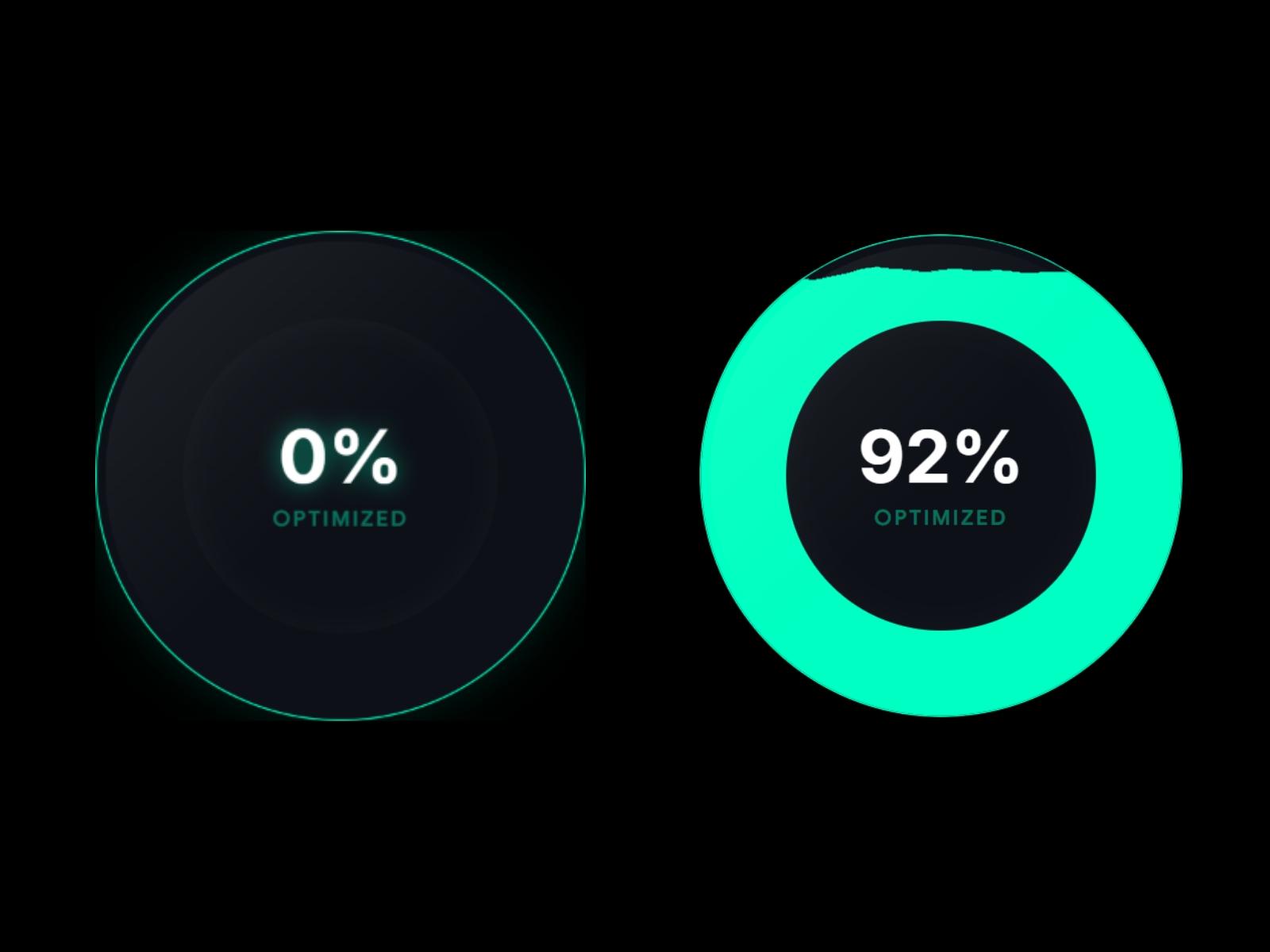
Elevate your SaaS interface with an ultra-premium, cinematic 3D liquid gauge. Designed specifically for high-end AI platforms and Fintech dashboards, this component brings "Apple-level" polish to your data visualization.
Unlike standard charts, it uses advanced SVG turbulence and displacement filters to mimic the fluid behavior of liquid mercury or molten metal. Every detail is optimized for performance and conversion, featuring glassmorphism reflections, separate Framer font library integration, and a responsive 3D perspective that reacts to user hover. It’s not just a progress bar; it’s a statement piece for your UI.
Key Features Realistic Fluid Physics: Advanced SVG displacement filters create smooth, organic wave motion. 3D Perspective Tilt: Interactive Z-axis rotation that reacts to real-time mouse movement. Dual Font Control: Separate Framer Font library pickers for the percentage and the label. Bleed-Proof Clipping: Custom inset masking ensures liquid never "leaks" or artifacts at the edges. Complete Color Control: Independent controls for Liquid, Base, Number, and Label colors. Dynamic Animation: Controllable "Speed" slider to match your brand’s personality. Glassmorphism Layer: Built-in reflection and glow effects for a high-end 3D aesthetic.